How to check an AI's answer about a property
Seven checks to run before you act on what an assistant told you about a parcel, a permit, or a zoning rule.

Denielle Abaquita
To check an AI's answer about a property, first ask whether it looked the fact up at all, then ask for the record behind it. Open that record and confirm who published it, when it was pulled, where any location came from, what was changed on the way to the answer, and whether anything is missing. Finish by confirming one fact against the official source yourself. An assistant such as Claude or ChatGPT can show its sources and its query when the property data is in front of it, but it may not be able to reach county portals on its own, so ask it where each fact came from and to show the query or page it used.
You ask an assistant whether a parcel is zoned for self storage and get a confident answer in a few seconds, often with no sign of where it came from.
A survey of 255 US commercial real estate professionals, run by First American Data & Analytics and DealGround, found that 66% use AI weekly or daily and about 5% trust it enough to let it influence a deal decision. The sample is small and the survey is vendor-run, so treat it as a rough guide. Among brokers, the most common wish was more reliable rent and sale comps.
Below are seven checks, in the order I would run them. They work with any assistant, and check 4 applies only to data with a location on a map.
Why a confident answer may have no record behind it
An assistant sounds equally sure whether or not it reached the record you care about. County zoning codes, permit histories, and ordinances sit in portals, PDFs, and meeting archives that are slow for an agent to work through. When it cannot get to the record, it may answer from memory, from a nearby source, or from a similar place.
Seven checks before you rely on an answer
1. Ask whether it looked this up or remembered it
Ask: "Did you run a query or open a page for this, or are you answering from what you already know?" Then ask it to show the query or page. This comes first because it decides whether the checks after it are possible at all. An answer with no lookup behind it needs checking before you use it.
2. Ask for the record, not the website
"According to the county website" names a site and no fact. Ask for a link to the specific record, section, or row behind each claim. If the assistant can only name a publisher, treat the claim as unconfirmed.
3. Find the date
Zoning codes get amended, permits change status, and ownership moves. Ask: "When was this record pulled, and which version of the code or dataset is it from?" An answer that was right last year can be wrong now.
4. Ask where the location came from
For anything on a map, such as a parcel boundary, a zoning district, or a permit's position, ask: "Did this shape come from the source, from an address or coordinates, or from another layer?" A permit placed on the wrong parcel gives a wrong answer with a precise-looking location.
5. Ask what was changed on the way
Between the original record and the answer, columns get renamed, values get reformatted (a date stored as text becomes a true date), and fields get dropped. Renames and reformatting are acceptable when listed. Ask: "Which columns did you rename, reformat, or drop between the source and this answer?"
6. Ask what is missing
Missing rows leave no visible gap in the answer. Ask: "How many rows did the source report, and how many are in the dataset?" Then ask which fields the source never publishes.
7. Confirm one fact yourself
Pick the fact that matters most to your decision, open the county assessor or planning page, and find the same parcel or section. If it doesn't match, you have found the error before you act on it.
Ploti's source sheet, checked against the seven points
You can run these checks by hand on any data. They go faster when the dataset records its own history. Ploti, the real estate data layer for AI, does this. Each dataset its data agents compile from city and county sources has a Sources & methodology sheet, opened from the map, that lists where the data came from, when, and what was changed. An assistant connected to Ploti can read the same sheet.
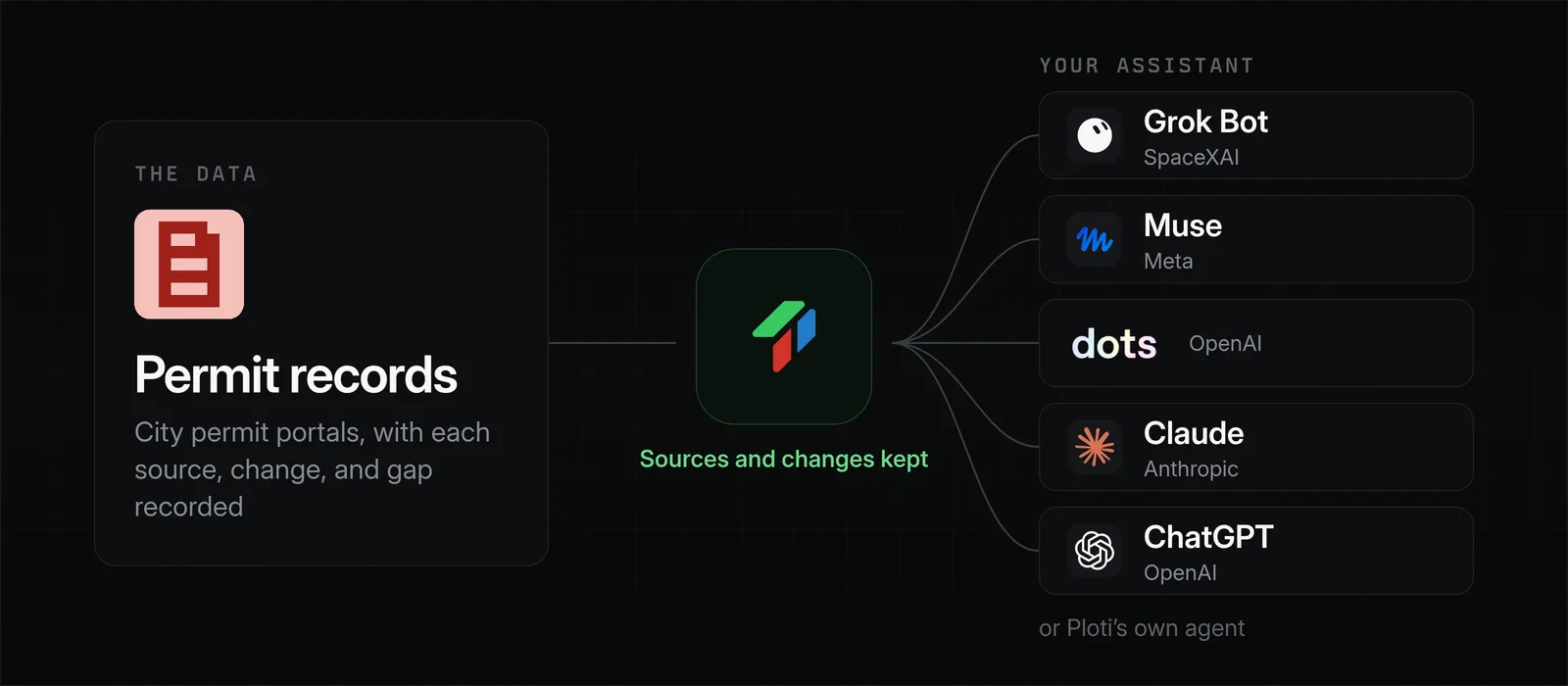
Two permit datasets show what that looks like. The first holds a Texas city's permit records: 39,593 rows, one per permit, pulled from the city's public permit portal. The sheet gives the source and the date it was retrieved (check 3). It reports that the portal's own total was 39,593 and that the dataset holds 39,593 (check 6).
Under "How the data was changed", the sheet lists 31 columns whose names were changed and confirms the values in them match the source on every row. It also names 31 other source fields it left out, such as company and business license fields (check 5). One change loses some detail: application dates went from text to timestamps, so the sheet marks them as altered.
The second holds permits a Colorado city issued in the final months of a year. The portal listed 644 and the dataset holds 644. The sheet names seven fields the portal does not publish, including application date, final date, and dwelling units, and gives a reason for each instead of filling them in from nearby fields (check 6). It also records three spot checks against the live portal, 55 attributes each, with no mismatches.
Check 4 does not apply to these two, which are tables without geometry. Map layers get a "Where the geometry came from" section in the same sheet, which says whether the shapes are the source's own, plotted from coordinates, or joined from another layer.
Limits of the sheet
The sheet describes how Ploti made the dataset. Whether the city's own records are correct is outside what it can show, so check 7 still applies. Some older datasets show a shorter sheet and get the full one the next time they are republished.
Access and pricing
Ploti is self-serve: no sales contract, a 7-day trial, and pricing per county starting at $50 a month. Your assistant can query each dataset in full, along with the sources its sheet records.
Using the checklist on comps, ownership, and ordinances
The same seven checks apply to rent and sale comps, ownership lookups, and ordinance summaries. Comps were the most common wish among brokers in the survey above. For an example, see how land sale comps were checked against deeds. For sources that are not online yet, you can file a data request, and following one source by source shows you how far along it is.
Frequently asked questions
Can I trust what ChatGPT or Claude says about a property?
Trust it as far as you can trace it. Assistants sound just as sure whether or not they reached the county record, so ask for the source of each fact, open it, and confirm one fact against the official record before you rely on the answer.
How do I know if an AI looked something up or answered from memory?
Ask it directly: did you run a search or query for this, or answer from what you already know? Then ask it to show the query or the page it used. An answer with no record behind it needs checking before you use it.
What should a property data source show about itself?
At minimum: the publisher and a link to the original record, the date it was pulled, how many rows the source reported against how many are in the dataset, which columns were renamed, converted, or dropped, and what is known to be missing.
Can an AI assistant read where a dataset came from?
Yes, when the data layer exposes it. Ploti's MCP connector lets Claude, ChatGPT, and other assistants read a dataset's sources, methodology, and known gaps, so the assistant can cite them.
How you can do it yourself
If you already use an assistant, add Ploti as a connector and ask it to show its work. Setup guides cover Claude, ChatGPT, Gemini, Claude Code, Codex, and Cursor. Any assistant that supports MCP connectors also works. Then try something like:
- "Which source and retrieval date did you use for these permits?"
- "Which fields does the source not publish for this dataset?"
- "Show me the Sources & methodology record for this dataset."
If you don't use an assistant, ask Ploti's agent directly on the web, in the Mac or Windows app, or soon on your phone. Pick the counties you work in, check your coverage areas, and start a 7-day trial.