
Why Use Leads?
Capture Opportunities
Turn any parcel on the map into a trackable opportunity with owner details and notes.
Track Your Pipeline
Move leads through stages from initial contact to closed deal with clear status tracking.
Manage Financials
Track asking prices, your valuations, and offer amounts in one place.
Collaborate with Team
Assign leads, add comments, and keep everyone informed of progress.
What Makes Up a Lead?
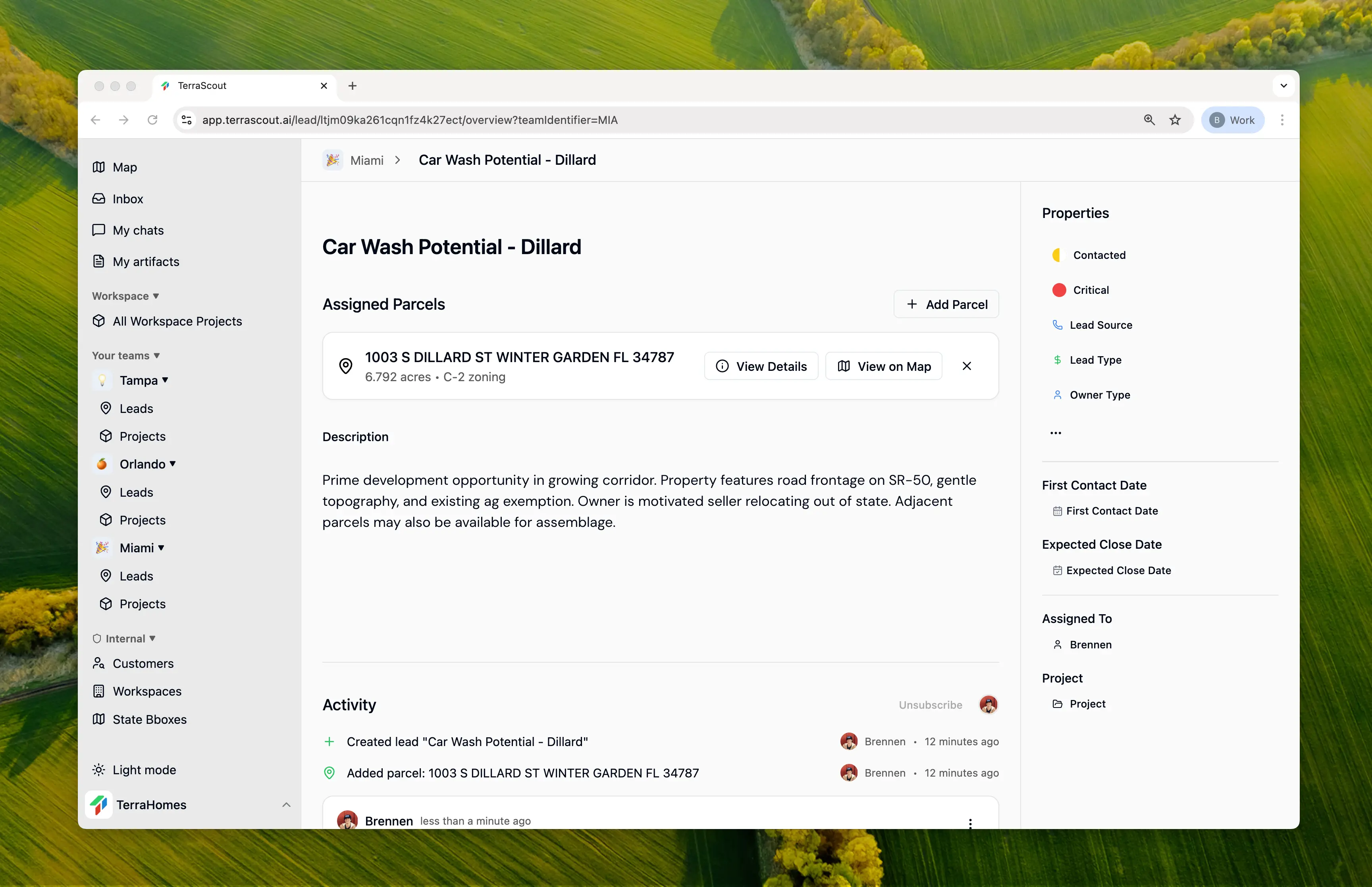
Properties (Parcels)
Properties (Parcels)
Each lead can contain one or more parcels. Add properties directly from the map to build multi-parcel opportunities. Learn more →
Status & Pipeline
Status & Pipeline
Track where each opportunity stands—from New to Closed Won. Visual indicators make it easy to see pipeline health at a glance. Learn more →
Financial Details
Financial Details
Record asking price, your estimated value, and offer amounts. Track the financial progression of each deal.
Owner Information
Owner Information
Capture owner type (Individual, LLC, Trust, etc.) and track how you sourced the lead.
Key Dates
Key Dates
Track first contact, expected close, contract date, and closing date with flexible date granularity.
Activity History
Activity History
Every change is tracked automatically—status updates, assignment changes, comments, and more.
How It Works
- Find a property on the map that matches your criteria
- Create a lead to start tracking the opportunity
- Work the deal — contact the owner, negotiate, update status as you go
- Close and mark as won or lost
Getting Started
Create a Lead
Select a parcel and click Create Lead to start tracking the opportunity. Creating Leads →
Leads + Projects
Leads can be associated with Projects to organize related opportunities together. This is especially useful when:- Pursuing multiple parcels in the same area
- Working on a specific development opportunity
- Managing deals for a particular client or partner