
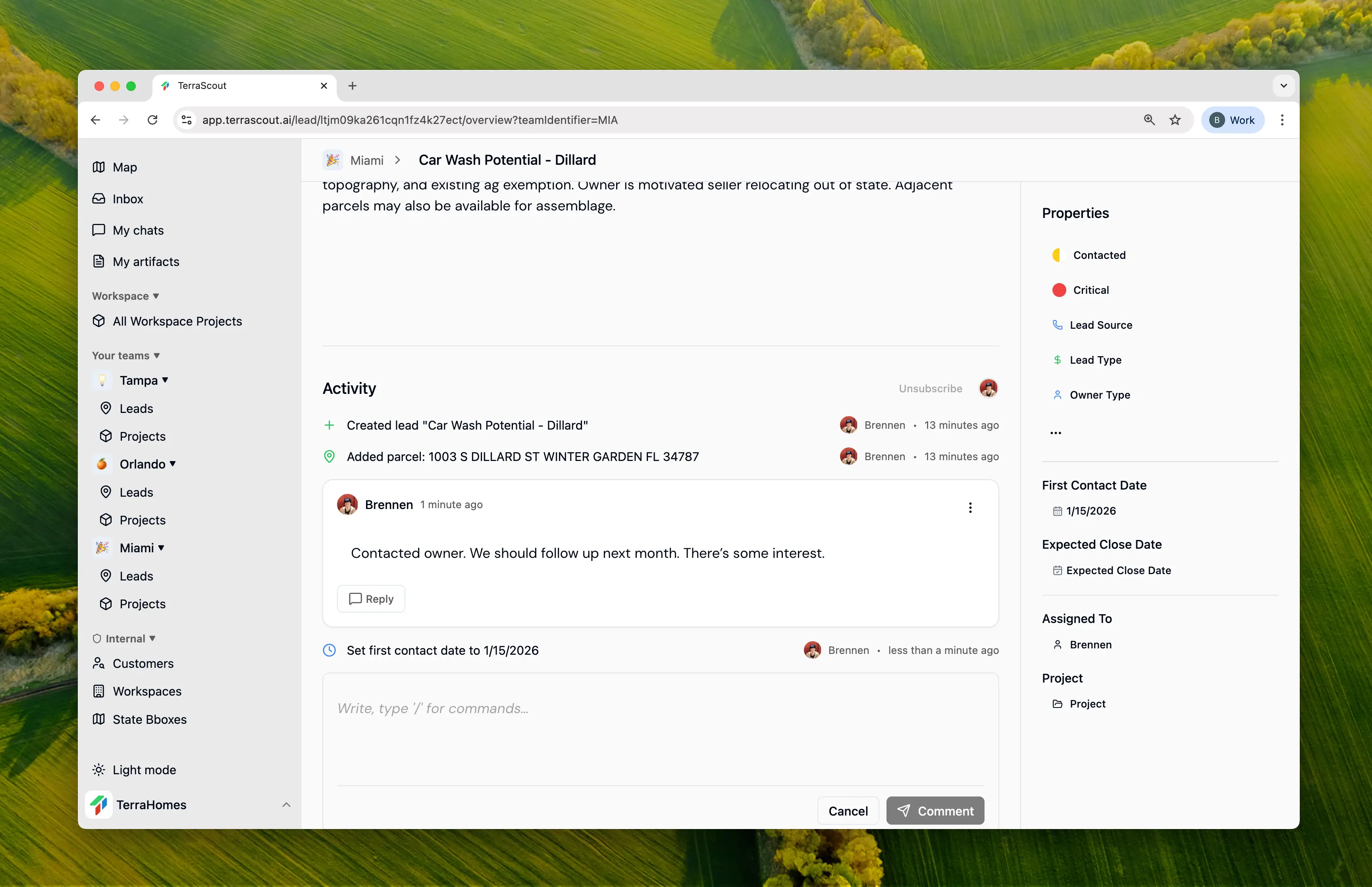
Activity Feed
Every lead has an activity feed showing its complete history. You’ll see:- Status and priority changes
- Field updates (financials, dates, etc.)
- Parcels added or removed
- Assignment changes
- Comments and replies
Comments & Discussions
Add comments to leads to document conversations, share research, or coordinate with teammates.Adding Comments
- Open the lead
- Navigate to the Comments section
- Type your comment
- Click Post
Threaded Replies
Reply to specific comments to keep discussions organized:- Click Reply on any comment
- Type your response
- Reply appears nested under the original comment
Editing & Deleting
- Edit your own comments anytime
- Delete your own comments if needed
- Edits and deletions are tracked in activity
Lead Assignment
Assign leads to team members for accountability:- Open the lead
- Click the Assigned To field
- Select a team member
- The assignee is automatically subscribed to the lead
Finding Your Leads
Filter to see leads assigned to you:- Add filter: Assigned To is Me
- View all your active opportunities
Subscriptions
Subscribers receive notifications about lead activity.Automatic Subscriptions
- Lead creator - Always subscribed
- Assigned member - Subscribed when assigned
Manual Subscriptions
Team members can subscribe to any lead they want to follow:- Open the lead
- Click Subscribe
- Receive notifications for all activity
- Open the lead
- Click Unsubscribe
What Triggers Notifications
Subscribers are notified of:- Status changes
- Priority changes
- New comments
- Assignment changes
- Significant field updates
Collaboration Best Practices
Document Conversations
Add comments after owner calls to create a record of discussions.
Tag Context
Mention relevant details in comments so the full story is captured.
Assign Ownership
Every lead should have an owner responsible for moving it forward.
Subscribe Strategically
Subscribe to leads you need to monitor, even if not assigned.