
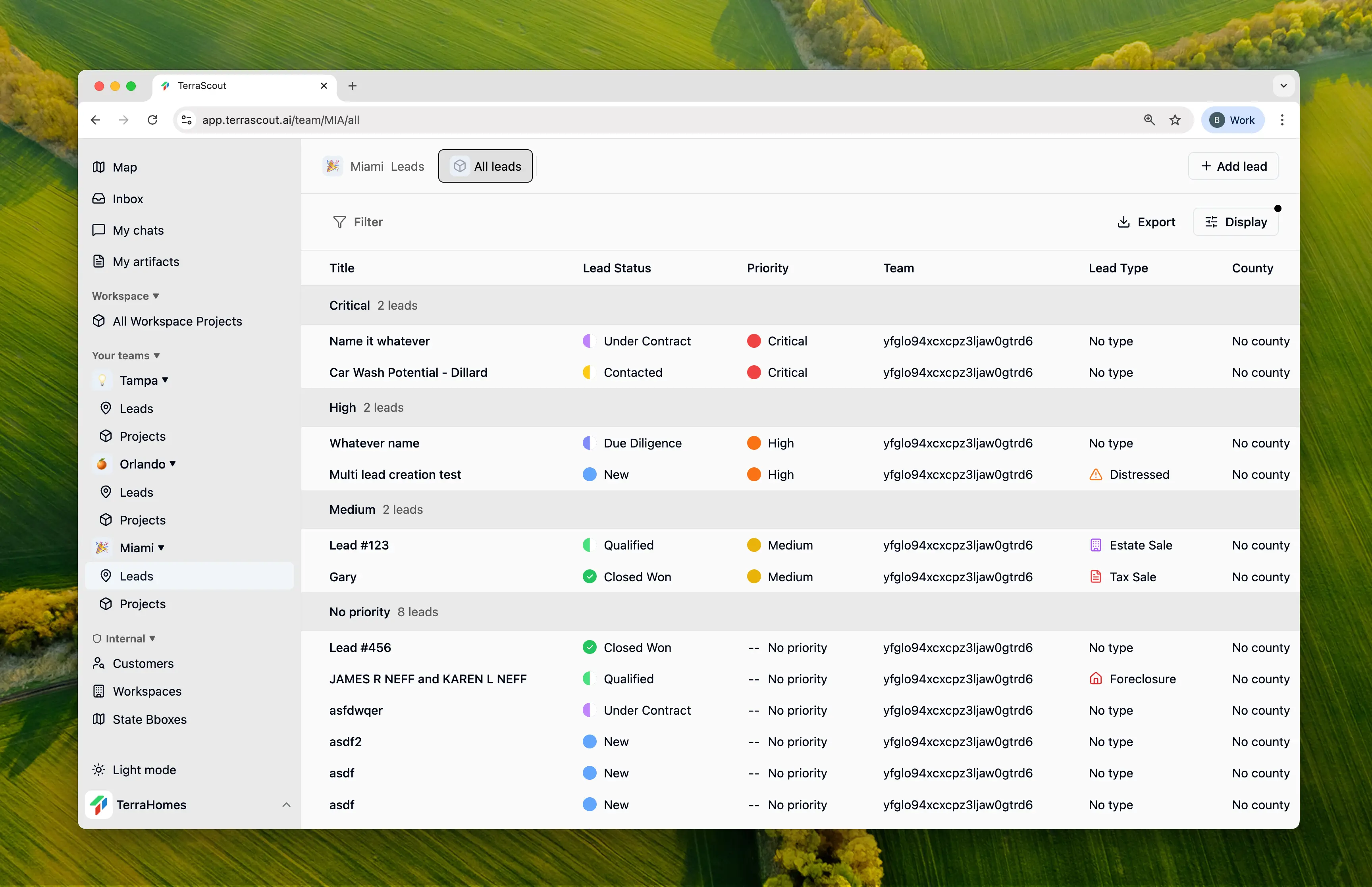
Pipeline Stages
Contacted
You’ve reached out to the owner or their representative. Waiting for response or in initial discussions.
Under Contract
Agreement reached and contract signed. Deal is committed pending due diligence and closing.
Due Diligence
Performing inspections, title review, environmental assessments, and other verification.
On Hold
Any lead can be placed On Hold regardless of its current stage. Use this when:- Waiting for external factors (zoning decisions, market conditions)
- Owner needs time to consider
- Your team’s bandwidth is limited
- Seasonal factors affect timing
Updating Status
- Open the lead
- Click the Status field
- Select the new status
- Status change is saved immediately and tracked in activity
Priority Levels
Combine status with priority to focus your team’s efforts:- Critical - Needs immediate attention
- High - Important, work actively
- Medium - Standard priority
- Low - Track but not urgent
Pipeline Views
Grouped by Status
View your leads grouped by pipeline stage:- Go to your leads list
- Set Group by to Status
- See all leads organized by their current stage
- Drag leads between groups to update status (if enabled)
Filtered by Status
Focus on specific stages:- Add a filter for Status
- Select one or more stages
- View only leads in those stages
Activity Tracking
Every status change is recorded:- Who made the change
- When it occurred
- Previous status
- New status
Best Practices
Update Promptly
Update status immediately when things change to keep pipeline accurate.
Use On Hold Wisely
Don’t let On Hold become a dumping ground—review regularly.
Add Context
Add a comment when changing status to explain why.
Review Pipeline Weekly
Regular pipeline reviews help identify stuck deals and opportunities.