
Tools and outputs
Ploti exposes a small, stable set of MCP tools. The assistant handles their sequence; users usually work in plain language and do not call tools by name. Every tool has a human-readable title, a focused input schema, and safety annotations that tell the host whether the call reads data, changes session state, reaches an external system, or can modify sandbox files.Tool reference
Sessions and boundaries
Each MCP session belongs to one Ploti workspace and one authenticated connection. A session begins with a place or viewport, and all data queries are constrained to that current view. The assistant can navigate again when a task moves to another place. Sessions expire after one hour without activity. Each tool call extends the idle window. The associated compute sandbox also stops when idle; durable outputs saved to the workspace remain available after the sandbox stops.Long-running analysis
Quick Python calls return in the same tool response. Work that runs beyond the short synchronous window is automatically promoted to a background job, and an assistant can pollget_result. A background execution can run for up to 15 minutes, and its recorded result remains available for one hour.
Ploti serializes code executions within one session so two analyses do not mutate the same working files at the same time.
Interactive outputs
show_output always returns a concise text preview and a Ploti link. Compatible hosts can also render interactive map or table panels, depending on the saved output. A map and its comparison table can appear as separate outputs in the conversation. The assistant can page or narrow the model-facing preview instead of putting an entire dataset into conversation context.
Use Filter rows to find entries in a table, Export CSV to download the result, or Open in Ploti to continue reviewing it in your workspace.
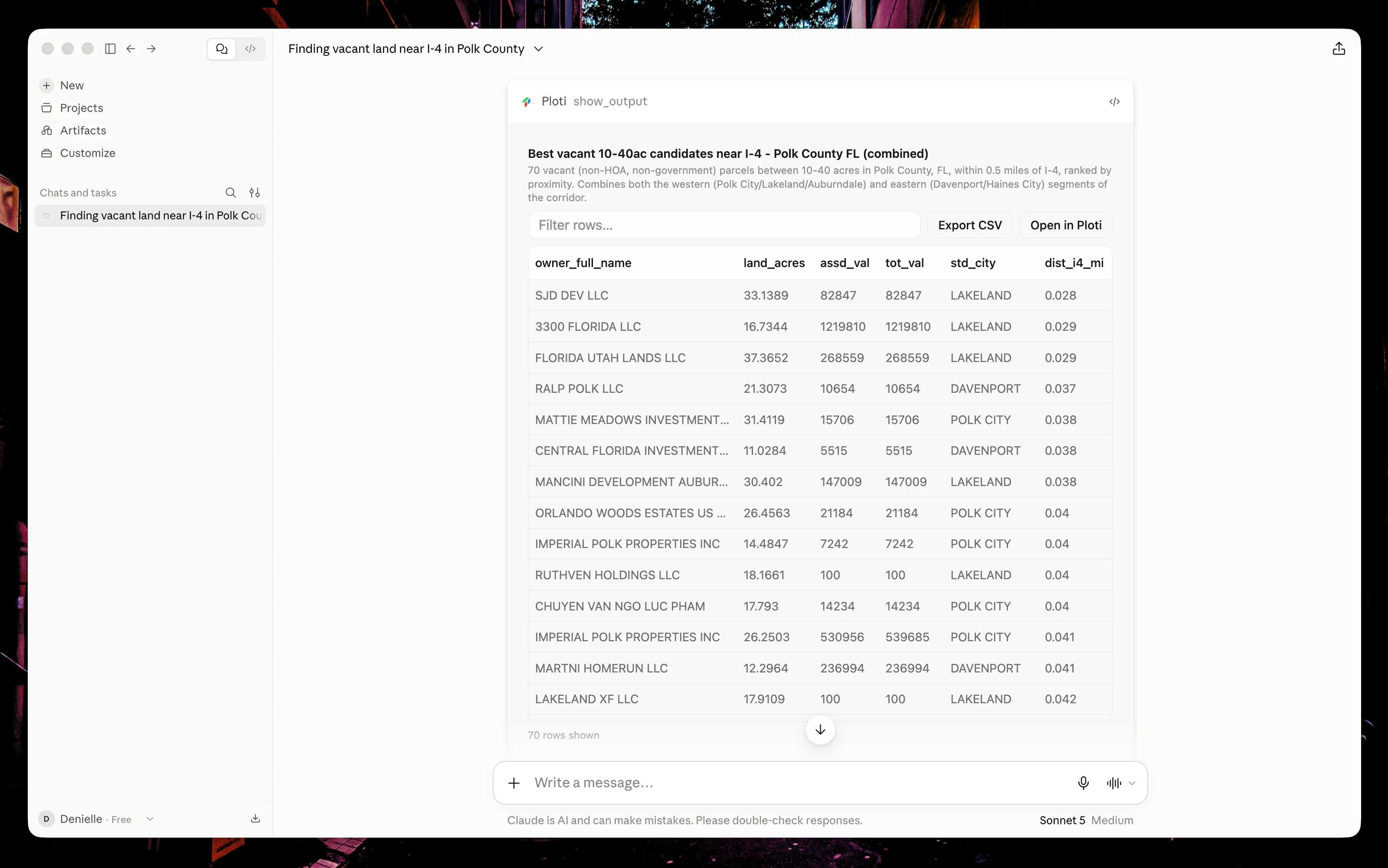
Review parcel attributes in Claude Desktop using the table's filter, Export CSV, and Open in Ploti controls.
Durable work
The assistant can save:- Checkpoints — fixed sets of entities that can be reviewed on a map or in a table
- Materialized tables — analysis results stored as rows and columns
- Saved queries — live queries that rerun when viewed
- Filters — live layers on the Ploti map
- Files — workspace files with authenticated download links