
Use Ploti from the assistant you already know
Ploti’s remote Model Context Protocol (MCP) server gives compatible AI assistants controlled access to focused real estate research tools. Ask a question in Claude, ChatGPT, Gemini, Cursor, Claude Code, or Codex; your assistant can search the right area, analyze the available data, and return a map, table, or file without making you copy information between products.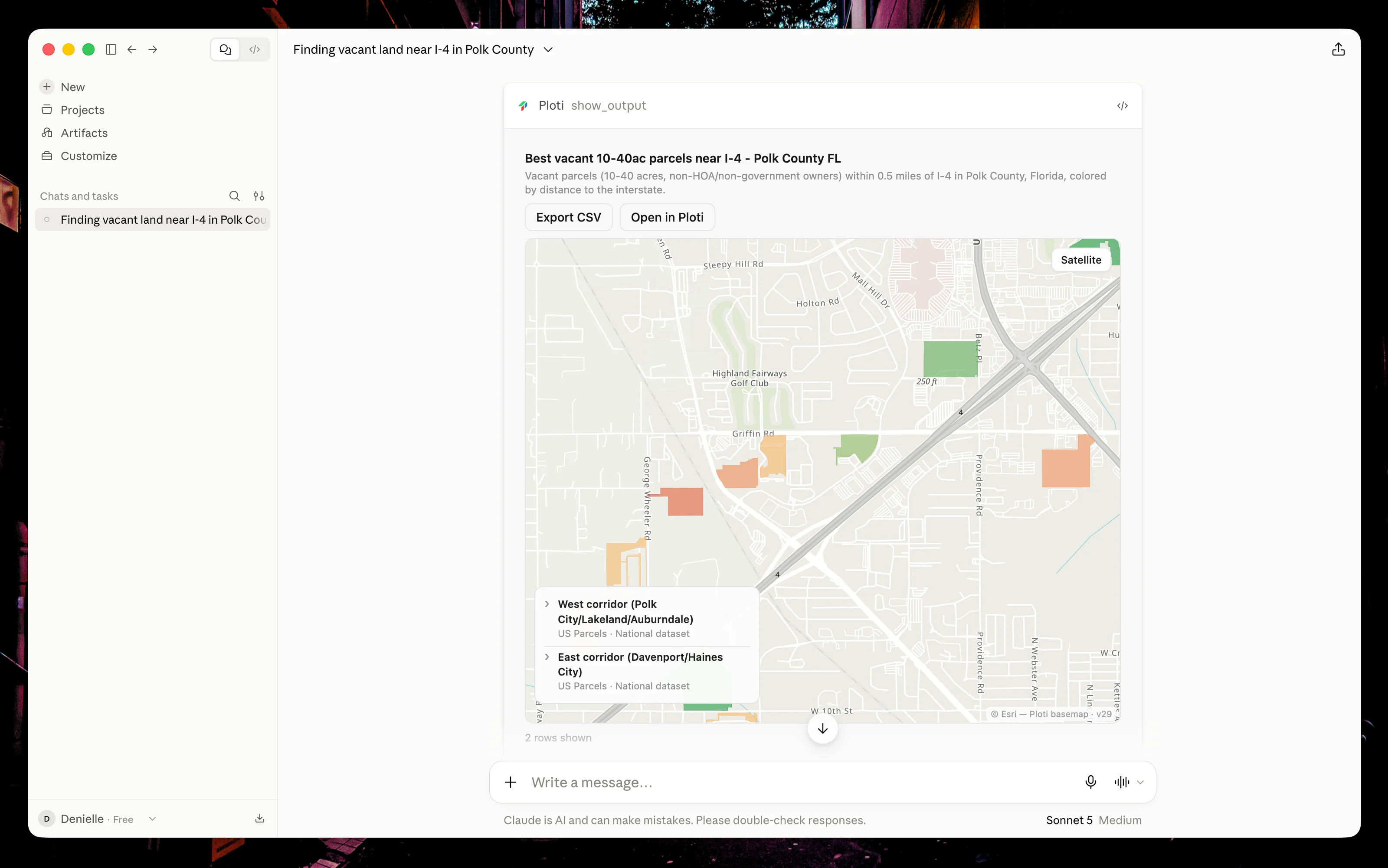
Explore vacant parcel candidates near I-4 in Polk County, Florida, on a Ploti map inside Claude Desktop.
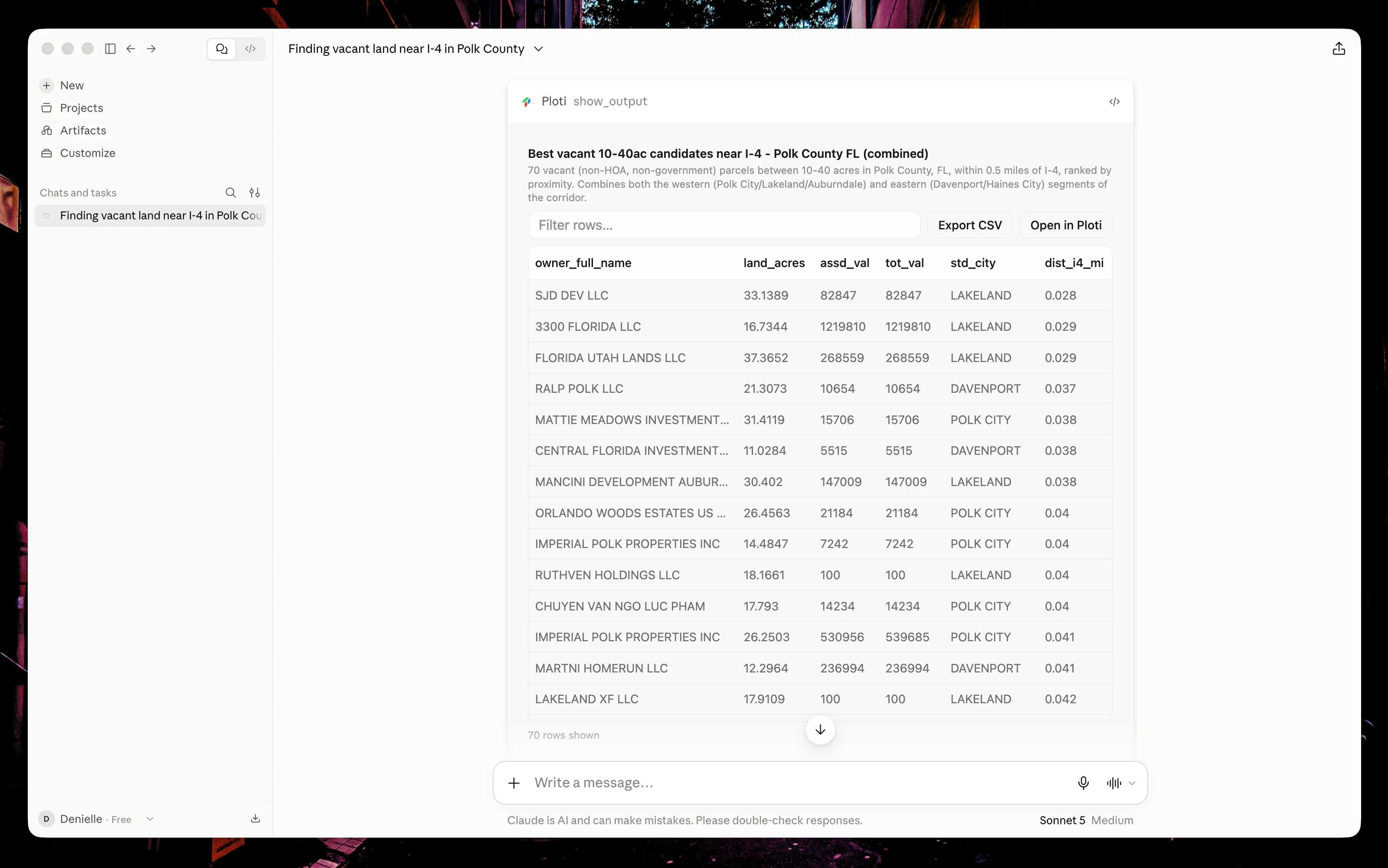
Compare candidate acreage, ownership, assessed value, and distance to I-4, then export the table or open it in Ploti.
What you can do
Find and compare properties
Search parcels in a named place, filter by property attributes, compare
candidates, and inspect the result on a map.
Research ordinances
Ask questions about zoning and municipal codes and receive source-backed
answers when coverage is available.
Run spatial analysis
Combine parcel data with available zoning, flood, environmental,
transportation, and other map layers.
Create durable outputs
Save checkpoints, live filters, tables, queries, maps, and downloadable
files to your Ploti workspace.
How it works
1
Connect Ploti
Add
https://mcp.ploti.ai/api/mcp as a remote MCP server in your assistant.
Ploti uses OAuth, so you never paste your Ploti password or an API key into
the assistant.2
Approve access
Sign in to Ploti, choose a workspace, and approve the connection. The
assistant receives access only to that workspace through your Ploti account.
3
Ask in plain language
Describe the place, property criteria, or ordinance question. Your assistant
decides which Ploti tools to use and reports what it is doing.
4
Review the result
Inspect a concise result in the conversation, open the interactive map or
table, or continue the same work in Ploti.
Choose your assistant
Claude
Claude on web or desktop
ChatGPT
ChatGPT apps and connectors
Gemini
Gemini app or Gemini CLI
Cursor
Cursor Agent
Claude Code
Anthropic’s terminal agent
Codex
Codex app, CLI, and IDE extension
Plans and data access
Free Ploti MCP workspaces can use nationwide U.S. parcel data and ordinance research. Paid workspaces can also query the additional datasets available in the current map area. Ploti tells the assistant which layers are available before it runs an analysis; it does not silently substitute a locked dataset. Your assistant provider may require a paid plan or developer setting to use custom MCP servers. See the guide for your assistant for current setup requirements.Ploti supports research and analysis. Property records and municipal sources
can be incomplete or change over time, so verify important facts with the
cited source or appropriate authority before making a decision.
Next steps
Try example prompts
Start with tested, realistic property and ordinance workflows.
Review security and privacy
Understand authorization, workspace boundaries, retention, and revocation.