> ## Documentation Index
> Fetch the complete documentation index at: https://terrascout.ai/docs/llms.txt
> Use this file to discover all available pages before exploring further.
# Creating a Project
> How to create and set up projects in Ploti
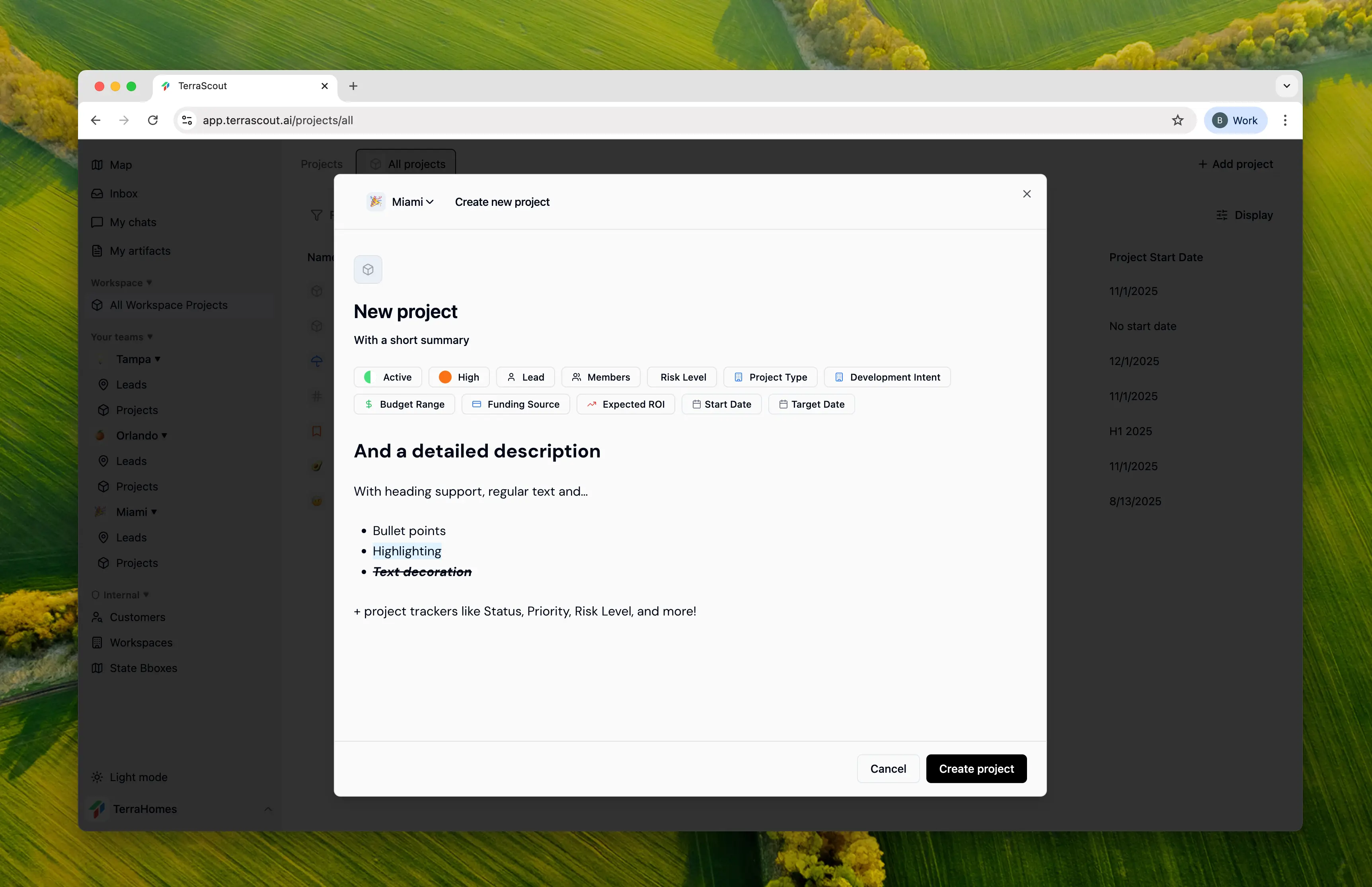 Projects help you organize your land acquisition efforts by grouping related properties, tracking progress, and collaborating with your team.
## Creating a New Project
Click the **New Project** button from the projects page or use the quick-create option from anywhere in the app.
### Required Fields
* **Title** - Give your project a clear, descriptive name
* **Team** - Assign at least one team to the project
### What You Can Add
Fill in as much or as little as you want:
* **Summary & Description** — Describe the project and its goals
* **Status** — Planning, Active, On Hold, Complete, etc.
* **Priority** — High, Medium, or Low
* **Project Type** — Residential, Commercial, Industrial, Mixed Use, etc.
* **Development Intent** — What you plan to build or do with the land
* **Budget Range** — Approximate investment size
* **Funding Source** — How the project will be funded
* **Expected ROI** — Target return on investment
* **Risk Level** — Low to Very High
* **Timeline** — Start date and target completion
* **Team** — Project lead and team members
## After Creation
Once created, your project becomes the central hub for:
* Adding properties and parcels
* Tracking activity and changes
* Posting status updates
* Collaborating with team members
* Attaching files and documents
All team members assigned to the project are automatically subscribed to updates and notifications.
Projects help you organize your land acquisition efforts by grouping related properties, tracking progress, and collaborating with your team.
## Creating a New Project
Click the **New Project** button from the projects page or use the quick-create option from anywhere in the app.
### Required Fields
* **Title** - Give your project a clear, descriptive name
* **Team** - Assign at least one team to the project
### What You Can Add
Fill in as much or as little as you want:
* **Summary & Description** — Describe the project and its goals
* **Status** — Planning, Active, On Hold, Complete, etc.
* **Priority** — High, Medium, or Low
* **Project Type** — Residential, Commercial, Industrial, Mixed Use, etc.
* **Development Intent** — What you plan to build or do with the land
* **Budget Range** — Approximate investment size
* **Funding Source** — How the project will be funded
* **Expected ROI** — Target return on investment
* **Risk Level** — Low to Very High
* **Timeline** — Start date and target completion
* **Team** — Project lead and team members
## After Creation
Once created, your project becomes the central hub for:
* Adding properties and parcels
* Tracking activity and changes
* Posting status updates
* Collaborating with team members
* Attaching files and documents
All team members assigned to the project are automatically subscribed to updates and notifications.