> ## Documentation Index
> Fetch the complete documentation index at: https://terrascout.ai/docs/llms.txt
> Use this file to discover all available pages before exploring further.
# Activity Tracking
> Track and monitor activity within your projects
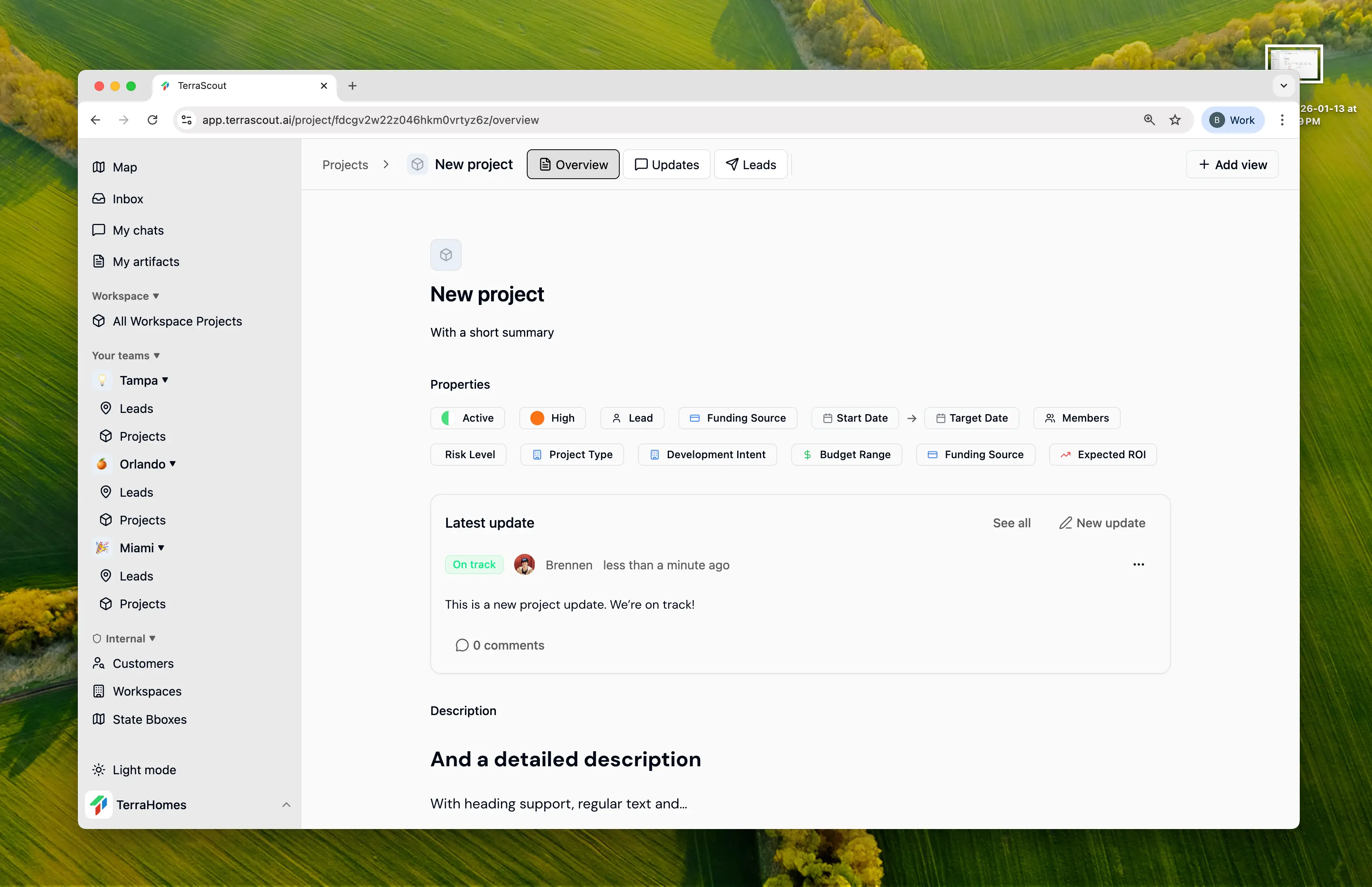 Ploti automatically tracks all changes and activities within your projects, giving you complete visibility into what's happening and when.
## Project Updates
Post status updates to keep your team informed about project progress.
### Creating an Update
Each update includes:
* **Content** - Rich text description of the update
* **Status** - Current project health indicator:
* **On Track** - Project is progressing as expected
* **At Risk** - Potential issues that need attention
* **Off Track** - Project needs immediate intervention
### Comments & Discussions
Team members can comment on updates to ask questions, provide feedback, or add context. Comments support threaded replies for organized discussions.
Ploti automatically tracks all changes and activities within your projects, giving you complete visibility into what's happening and when.
## Project Updates
Post status updates to keep your team informed about project progress.
### Creating an Update
Each update includes:
* **Content** - Rich text description of the update
* **Status** - Current project health indicator:
* **On Track** - Project is progressing as expected
* **At Risk** - Potential issues that need attention
* **Off Track** - Project needs immediate intervention
### Comments & Discussions
Team members can comment on updates to ask questions, provide feedback, or add context. Comments support threaded replies for organized discussions.
 ## Activity Feed
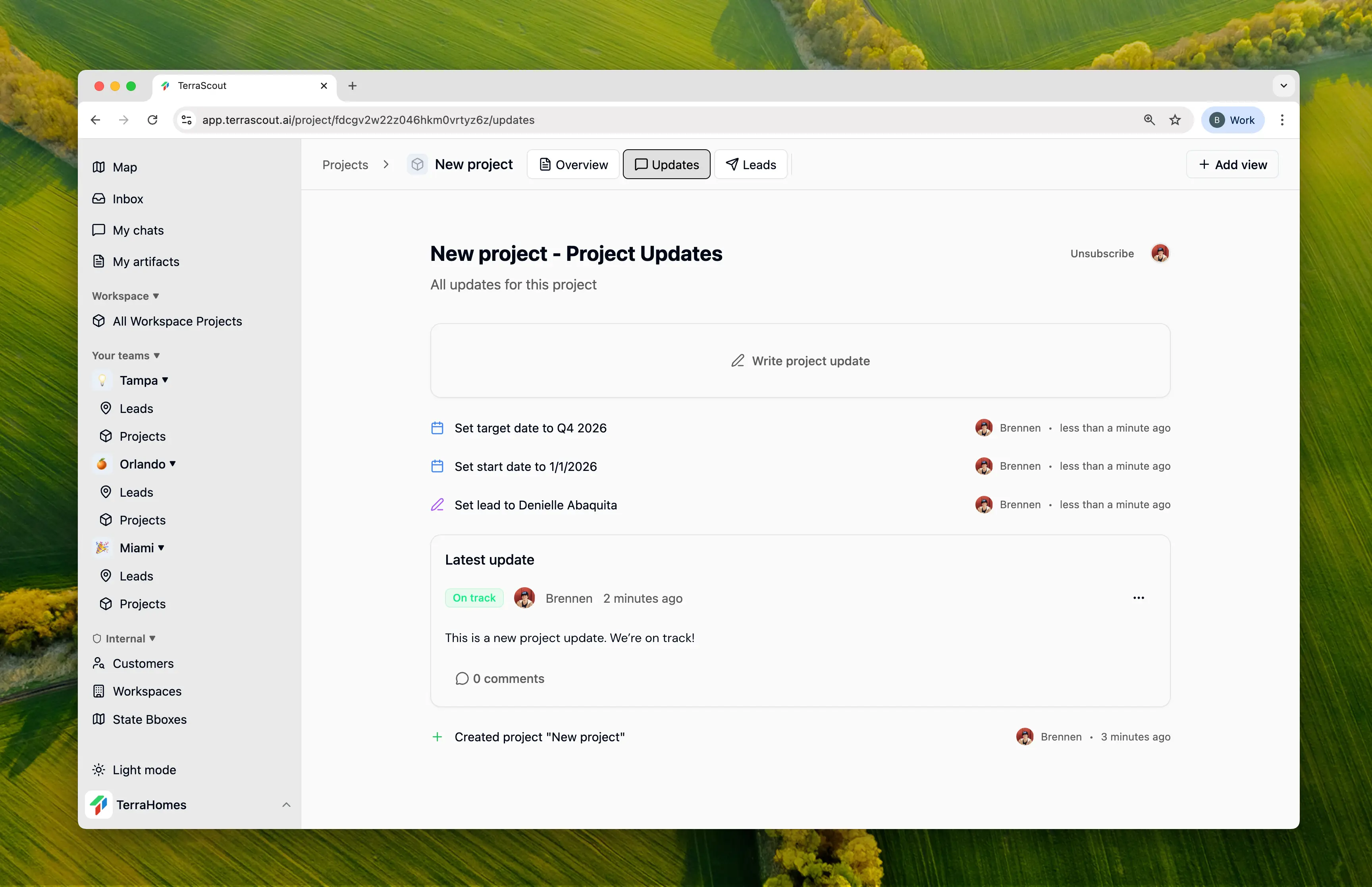
The activity feed automatically captures every change made to a project:
* Status and priority changes
* Field updates (dates, budget, risk level, etc.)
* Team changes (members added or removed)
* Updates and comments
Each entry shows who made the change, what changed, and when.
## Notifications
Project subscribers automatically receive notifications for important activities. Subscribers include:
* The project creator
* All assigned members
* Anyone who opts in to follow the project
## Best Practices
Post weekly status updates to keep stakeholders informed and create a historical record of project progress.
Use On Track, At Risk, and Off Track honestly to surface issues early before they become problems.
When making significant changes, add context in the description so the activity feed tells the full story.
Encourage team members to comment on updates with questions or additional context.
## Activity Feed
The activity feed automatically captures every change made to a project:
* Status and priority changes
* Field updates (dates, budget, risk level, etc.)
* Team changes (members added or removed)
* Updates and comments
Each entry shows who made the change, what changed, and when.
## Notifications
Project subscribers automatically receive notifications for important activities. Subscribers include:
* The project creator
* All assigned members
* Anyone who opts in to follow the project
## Best Practices
Post weekly status updates to keep stakeholders informed and create a historical record of project progress.
Use On Track, At Risk, and Off Track honestly to surface issues early before they become problems.
When making significant changes, add context in the description so the activity feed tells the full story.
Encourage team members to comment on updates with questions or additional context.